
Adapt to the institution
Support different school sizes, departments and communication needs through configurable modules.
Search the native WordPress menu, then use the complete directory for every long-tail capability.
ONE PLATFORM. MANY SCHOOL COMMUNITIES.
Every school has its own story. Give it a digital home.
A school website, communication hub and administrative platform in one. Capermint built PST Square to help institutions manage their digital presence and connect their communities without depending on technical staff.
THE PROJECT
PST Square set out to give schools a professional digital presence and a practical way to manage everyday information. The platform needed to serve families and learners as well as the people running the institution.
Capermint joined as the full-build partner, taking responsibility for the platform architecture, feature development and onboarding journey. The resulting WordPress and PHP system gives schools configurable websites with modules for admissions, departments, management, news and extracurricular activities.
The challenge was to build once while allowing each institution to work differently. A reusable foundation supports different school structures, while role-based administration and bulk communication help school teams manage the platform as their communities grow.
Support different school sizes, departments and communication needs through configurable modules.
Let school office teams register, manage content and publish without ongoing developer support.
Give parents, students, teachers and school leadership relevant information and communication tools.
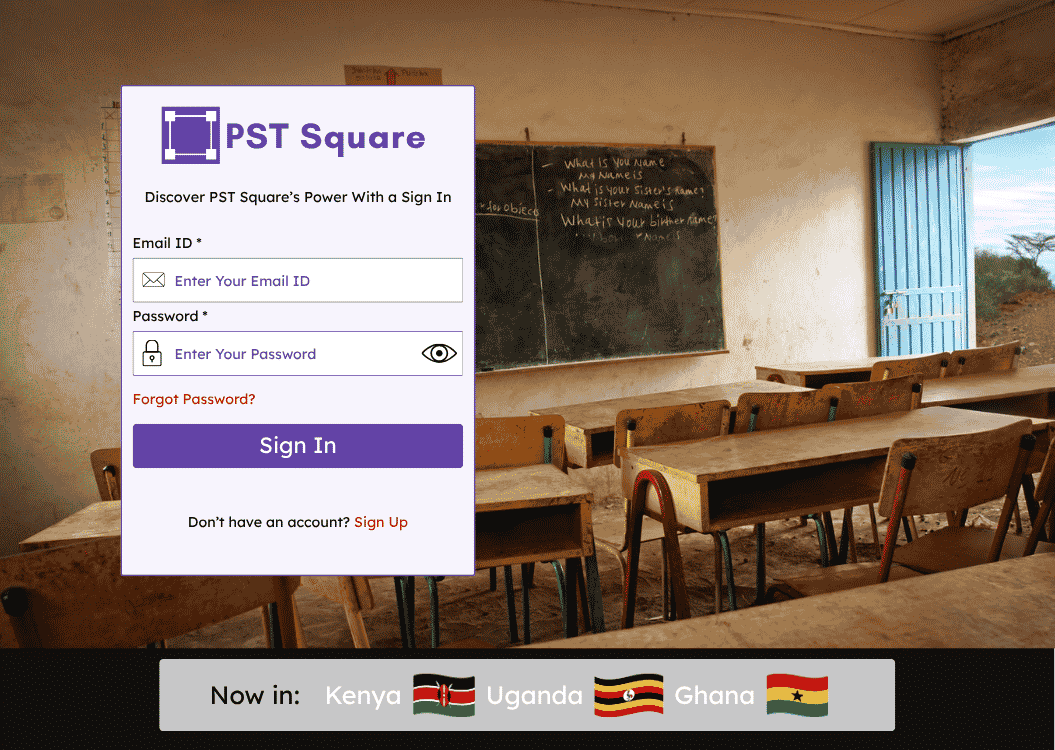
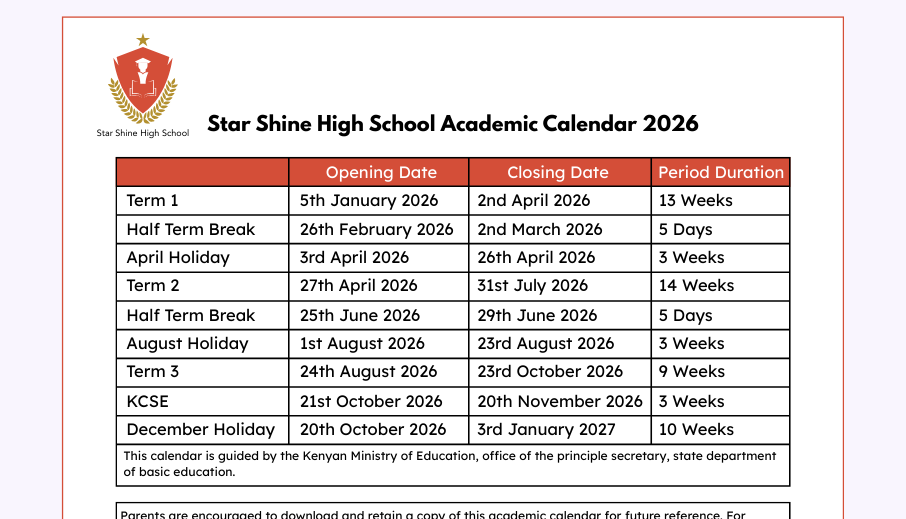
PRODUCT VISUALS
Original images published on the PST Square website: the platform’s sign-in presentation and a sample school academic calendar. The calendar is a public example, not a private school dashboard.
THE EXPERIENCE
A guided onboarding journey turns website setup into a sequence that a school team can manage itself.
Create the institution’s account and begin its digital setup.
Bring together the details that describe the school and its structure.
Configure the relevant modules and organize the information the community needs.
Launch the school’s presence, keep it up to date and send messages to the right audiences.
CHALLENGES & SOLUTIONS
Challenges, solutions and implementation details follow the supplied PST Square case-study document.
THE CHALLENGE
Admissions, departments and activities vary across institutions. A fixed structure would limit adoption.
THE RESPONSE
Build configurable modules for the school website and administrative content, allowing institutions to shape the same framework around their needs.
Why it mattersSchools can adapt the product without requiring a separate custom build.
THE CHALLENGE
Parents, learners, teachers and administrators have different goals and levels of technical confidence.
THE RESPONSE
Design stakeholder-specific experiences so each audience interacts with relevant parts of the platform.
Why it mattersThe shared platform can remain useful to each group.
THE CHALLENGE
Time-sensitive updates need to reach parents, staff and board members across growing communities.
THE RESPONSE
Develop a bulk SMS system for direct school communication, backed by infrastructure designed for high daily messaging volume.
Why it mattersMessaging becomes part of the school’s operating workflow.
THE CHALLENGE
Office teams need to get a school online without managing a complex development process.
THE RESPONSE
Use a guided registration, information, management and publishing flow.
Why it mattersSchool teams can take ownership of their online presence.
THE CHALLENGE
Principals, department heads and office staff need different levels of responsibility.
THE RESPONSE
Implement scoped roles and permissions so administrators can add colleagues with appropriate access.
Why it mattersTeams can distribute work while retaining control over the site and school data.
PRODUCT FEATURES
A reusable website framework gives each institution its own online presence.
Admissions, departments, news and extracurriculars can reflect the school’s structure.
Direct messages connect schools with parents, educators, leadership and board members.
An approachable setup flow supports non-technical school teams.
Scoped administrator access supports shared responsibility inside each institution.
Distinct experiences organize relevant tools and information for different audiences.
IMPLEMENTATION
Capermint delivered the platform from the ground up, with a shared architecture and reusable modules rather than one-off websites for every institution.
WordPress and PHP provide the multi-tenant foundation, with each school operating its website and data inside a shared system.
Core school functions are configurable components. That keeps the platform adaptable while making ongoing maintenance more manageable.
The SMS system supports high daily volume because parent and staff communication is a time-sensitive part of school operations.
Feedback from real administrators and educators informed refinements to the admin experience and school-facing features.
DESIGN & USABILITY
The product’s usability challenge was as much about ownership as appearance: schools needed tools they could run as part of their normal work.
The onboarding sequence breaks setup into understandable stages and leads toward a published school site.
Stakeholder-specific flows keep the shared product focused on what each person needs to do.
Scoped permissions let school teams assign responsibilities without giving every administrator the same access.
OUTCOMES & IMPACT
The supplied PST Square case study reports the following results. These are documented project figures, rather than a live analytics feed.
Institutions reported live on the platform, with continued onboarding described in the case study.
Reported daily communication connecting schools with parents, teachers and board members.
Administrators reported actively managing their institutions’ presence and communications.
Source: PST_Square_Case_Study.pdf, “Results and Impact.” The document also reports positive reception from more than 100 affiliated schools. These figures have not been independently audited.
PROJECT QUESTIONS
It combines a school website, community communication and administrative modules, including admissions, departments, news, extracurricular activities and management information.
Capermint was the full-build partner, responsible for the architecture, feature development and onboarding experience described in the supplied case study.
The documented stack is WordPress and PHP, with custom work for reusable modules, bulk messaging and role-based permissions.
The registration and publishing journey was designed for school office teams, with configurable modules that reduce dependence on ongoing developer support.
The documented engagement is a web platform. Use the official PST Square website to explore it.
LET’S BUILD YOUR NEXT EXPERIENCE.