In this article, we will have a look at what AR SDKs and Frameworks are, types of AR apps, and what are the top 12 AR SDKs and Frameworks to develop mobile apps/games.
Augmented Reality or AR (in short) is a thriving technology that bridges the gap between the reel and the real world. It makes our fairytale fantasies or science fiction fantasies real.
According to the Statista portal, the global market for AR (Augmented Reality) is expected to attain $18 billion by 2024. There are various SDKs and Frameworks that can be used for AR development, however, choosing the right and the most advantageous one is the issue.
We have curated a list of the Top 12 AR SDKs and Frameworks that you can consider for your development project. But first, let’s get a clear idea of what AR SDKs and Frameworks are.
What is AR SDK?
An Augmented Reality SDK is a core technological software that provides the developers with the necessary tools to develop Augmented Reality apps and games. They perform the important task of fusing real-world information with digital content.
The advantages, features, and capabilities of the Augmented reality SDK / Framework used will determine the features and functionality that your app/game can incorporate. Therefore, choosing the right AR SDK / Framework is vital for your app/game’s performance.
AR technology is an emerging one, however, we have just scratched the surface of what AR is capable of. Till now, we have used AR to its minimum capacity and its usage in the apps/games is limited. Let’s have a look at how the existing apps are using AR.
Types of Augmented Reality Apps that exist
1. Marker Based Applications
In Marker Based Applications, the camera will use a kind of visual marker to recognize the objects at which you point the camera. It will show you the information of the object in a 3D version or it can be used to measure the size or distance of the object.
2. Location-Based Applications
These kinds of AR apps function without markers and the position of the user is detected by an accelerometer that is GPS or a digital compass. This overlays the real objects in the real physical environment. The most popular location-based augmented reality app is undoubtedly Pokemon Go.
In this app, a notification is sent to the user depending on their current location to get them the new real AR content in their surroundings.
Top 12 AR SDKs & Tools
1. Vuforia
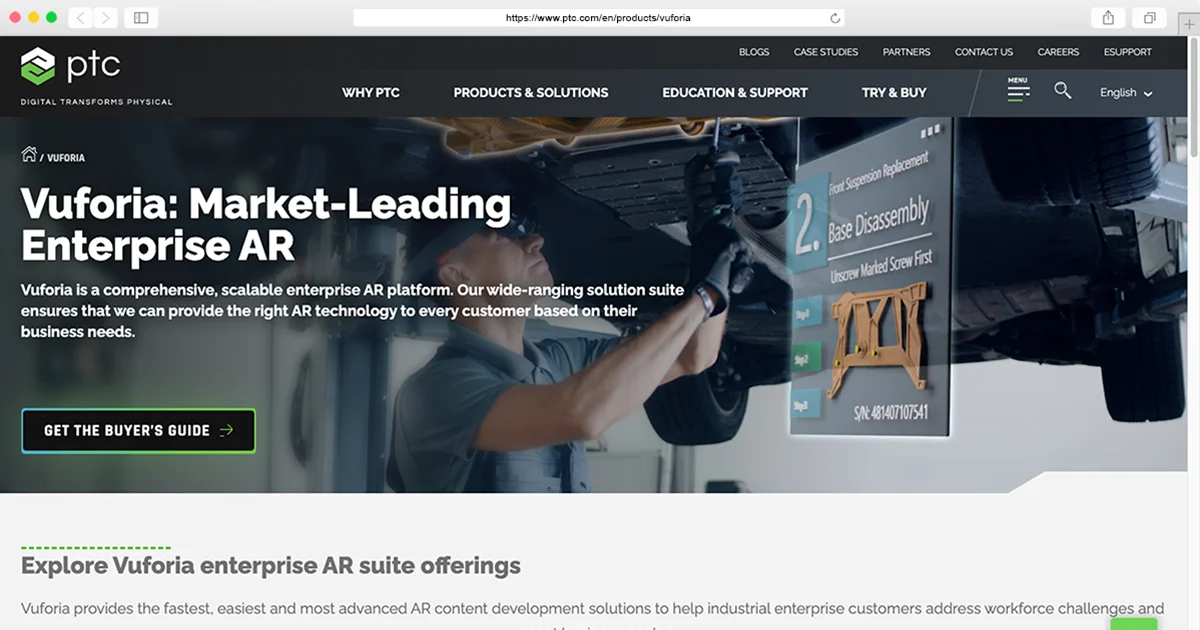
Vuforia has extensive options of the latest features and is adopted by most AR users. It is very useful for apps that need to effortlessly combine real images and virtual ones. Vuforia offers a range of products to develop unmatched AR experiences such as Vuforia Engine, Studio, and Chalk. It is supported by iOS, Android, and Universal Windows Platform.
Vuforia Features:
- Approved by both cloud and local.
- Comes with the Unity plugin.
- The sharp feature of Smart terrain features will help you to create 3D geometric maps.
- Recognize up to 100,000 words or a custom vocab.
- Also, recognize various objects.
2. ARTOOLKIT
ARToolKit is one of the most popular open-source tools, and it offers a list of great features such as dual-camera support, the ability to create real-time AR apps, Unity 3D support, and GPS support. It is a simple, yet very effective framework to develop real time AR apps. This tool supports platforms such as Android, iOS, Windows, and MacOS.

ARtoolkit Features:
- Able to integrate with smart glasses
- Support Unity 3D and OpenSceneGraph
- Support a single and dual camera.
- Can able to create AR apps in real-time.
- Support various languages.
- Automatic camera features
3. Wikitude
Wikitude is the recently launched SDK7 that can support various locations and maps. Its tool is supported by various devices such as Android, iOS, and Smart Glasses. Initially, it was launched to create only location-centric experiences. However, after a few years, Wikitude SDK was launched with features like geolocation, tracking, image recognition, etc incorporated. Wikitude is a paid app that has multiple monthly and yearly plans for its users.
Wikitude Features:
- Recognition of 3D pictures.
- Comes with advanced tracking features.
- Can recognize Cloud that allows targeting more than a thousand of images that are hosted in the Cloud.
- Integrate with smart glasses, plugins, and Unity.
4. MAXST
SDKs of MAXST – 2D SDK and 3D SDK, respectively, for image tracking and environment recognition. Packed with a range of useful features, Max comes with cross-platform development compatibility with Android, iOS, Mac OS, and Windows. It offers a free version and also supports a subscriber version which is a paid version.

MAXST Features:
- Able to track and map the environment
- Able to adjust the camera automatically according to the object
- Auto-save feature available
- Effortless scanning of QR code and Barcode
- Can support Unity plugin
- Can track the object according to the camera limit
- Recognition of 3D objects
5. RealityKit 2
Apple has introduced its own AR kit with iOS11 at the time of the Worldwide Developers Conference of Apple in June 2017. This app is supported by various devices of Apple and their iOS versions. It can run on any device that is equipped with an Apple Bionic A9 chip or higher. It is a unique SDK that allows the developers and designers to create an unparalleled AR experiences for iOS devices.

RealityKit 2 Features:
- The astonishing feature of motion tracking will help the user to spot the motionable features of the environment.
- Also recognize the horizontal surface. Due to this feature, you can track the motion of the objects lying on the flat surface.
- Has lighting adjustment features that help you to light the environment to make it more natural.
6. Google ARCore
AR Core is an SDK designed by Google. It benefits from several APIs that allow it to recognize, analyze, and interact with the environment. Google AR Core is even capable of detecting movement, size, and location. It can also detect and estimate the light conditions of the place. It allows the developers to create rich and immersive AR experiences for Android as well as iOS devices.

Google ARCore Features:
- Motion tracking that allows a better AR experience.
- Light sensing that provides a better user-experience.
- Environment understanding to detect and correctly integrate the real things with AR objects.
- Offers multi-platform support.
7. EasyAR
Easy AR is an AR SDK that can be used to develop AR apps and games across various platforms such as Android, iOS, windows, and more. It can also be used for Smartglasses. It is available across two-tier pricing packages that are equipped with enhanced APIs and increased compatibility. Easy AR Sense is a standalone SDK that provides data flow-oriented component-based API without being dependent on tools and frameworks.

EasyAR Features:
- Offers SLAM (including Monocular real-time 6 DOF camera pose tracking and full mobile compatibility)
- Allows screen recording and comes with 3D object tracking.
- Also, offers planar image tracking.
- Packed with useful information to develop AR apps and games.
8. Kudan
In partnership with xlSoft, Kudan offers a free SDK for indie developers. However, a license is required for small and medium scale businesses. The SDK is an effective one to develop marker and markerless AR apps and games. Kudan AR was used to develop the mixed reality app – Nippon’s 24-hour television.

Kudan Features:
- Provides seamless support to Objective-c and Java.
- Comes with Artificial perception
- Can also be integrated with AI to unlock a whole new experience.
- Kudan AR SDK can be leveraged across a wide range of development scenarios.
9. Onirix
Onirix is an AR SDK that offers effortless AR game and app development. The SDK offers a fast and intuitive development experience and is packed with multiple features to aid a high-quality Augmented Reality product. Also, it supports cross-platform app development. Onirix SDK provides various utilities and libraries that help the developers in fast and effortless app development for iOS, Android, and Unity.
Onirix Features:
- Onitix leverages a cloud-based platform, which in turn provides a better experience to the users.
- The AR also allows the ability to add specific points of interest based on location or route.
- The SDK offers various utilities and libraries that benefit the developers.
- Onirix team updates the SDK regularly and provides seamless support.
10. Pikkart AR SDK
Pikkart AR SDK enables the developers to develop AR games and apps that are lightweight on the device with detection and tracking features. The basic version of the Pikkart AR SDK is free to use and to get your hands on more advanced features, the developers can opt for the paid versions. This SDK offers a real-time up and running development process. The SDK is a great choice to develop highly immersive and creative AR experiences.

Pikkart AR SDK Features:
- Provides a simple-to-use, quick, and robust AR app and game development experience.
- The library enables the developers to create impressive AR experiences in a short time.
- Plugins for iOS and Android platforms.
- Option to add geo-located Augmented markers.
11. Magic Leap
Magic leap is a US-based startup that is backed by some huge investors such as Google and Alibaba. It ha been launched in 2018 and made available to the developers to develop AR apps and games. The Magic Leap One HUD superimposes 3D computer-generated images on real objects to provide a unique AR experience.

Magic Leap Features:
- Works seamlessly with Unity.
- Joinhands with AMD & VMware
- The simulator works as a guide and can be right away used to explore the SDK before purchasing the HUD.
- Support for multiple plugins makes the AR app/game development process easy.
12. DeepAR
Equipped with numerous components and scripts, Deep AR is an AR game and app development toolkit that will accelerate the development process. It is a lightweight AR SDK and it is very easy and quick to integrate with ongoing projects. The SDK is used to develop apps that use filters and facemasks like Snapchat.

Deep AR Features:
- Quick integration
- Precise Face detection and monitoring
- High-quality AR images and objects
- Even possesses real-time emotion detection functionality
Wrapping Up
There is no need to say that Augmented Reality is becoming popular with every passing day, and it has a bright future in upcoming years. It is continuously developing exciting features with new tools and updates that inspire its users. Use the list above to choose the best AR SDK for your app or game, based on the features that each SDK provides.
At Capermint, our developers are working towards producing highly interactive and fully functional Augmented Reality applications. If you need any help with your AR project, or if you wish to develop an AR game and app from scratch, you can contact us.
Also, if you think we left out some deserving AR SDKs that should have been on this list, do let us know in the comment section!
AR SDKs: the short answer
An AR SDK supplies the camera tracking, surface detection and anchoring that place 3D content in the real world; most new builds use Apple ARKit, Google ARCore or Unity AR Foundation for both. Capermint builds AR apps and games for US, Canadian and global clients: a single-platform MVP typically costs $10K–$40K over 3–6 months, quoted after scoping.
| Core AR SDKs | Apple ARKit and RealityKit, Google ARCore and Unity AR Foundation; Vuforia or EasyAR for image and object targets; Snap Lens Studio, DeepAR or Banuba for face AR; WebAR through WebXR, Zappar, Google's model-viewer or the now-free, self-hosted 8th Wall tools |
|---|---|
| Retired tools to migrate from | Meta Spark AR (third-party effects removed January 14, 2025); hosted 8th Wall (retired February 28, 2026; already-published projects stay live until February 28, 2027); Wikitude (subscriptions and cloud services discontinued after Qualcomm's 2021 acquisition) |
| Platforms | iPhone and iPad, ARCore-supported Android devices, Apple Vision Pro, Meta Quest and other OpenXR headsets, and mobile browsers (WebAR) |
| Delivery models | Fixed-scope project, dedicated team billed monthly, or co-development and staff augmentation on your existing codebase |
| Typical timeline | Single-platform MVP 3–6 months; mid-scope app or game 6–12 months; large custom platform 12 months+; confirmed in the written scope |
| Price from | Typical range $10K–$40K (USD) for a single-platform AR MVP; final quotes follow a scoping call |
| Testing and launch readiness | On-device QA on ARKit-capable iPhones and iPads and ARCore-supported Android phones, tracking and lighting tests, camera-permission and privacy prompts, App Store, Google Play and Meta Horizon Store submission prep; NDA available before detailed discovery |
| Markets | US and Canada first, with calls scheduled in US and Canadian business hours; buyers in the UK and EU, Latin America, the Middle East, Africa, Asia-Pacific and India also served; delivery studio in Ahmedabad, India |
| About Capermint | Founded 2014; Capermint-reported 650+ customers worldwide and over 200 specialists; Clutch 4.9/5 from 13 reviews |
AR SDK comparison: platforms, licences and fit
| SDK or tool | Platforms | Licence | Use it for |
|---|---|---|---|
| Apple ARKit and RealityKit | iPhone, iPad, Apple Vision Pro | Free; $99/yr Apple Developer Program to publish | iOS-first apps, LiDAR depth, face tracking, visionOS |
| Google ARCore | Supported Android devices; Cloud Anchors and Geospatial also on iOS | Free; cloud APIs need a Google Cloud project | Android apps, Geospatial API, Cloud Anchors |
| Unity AR Foundation | iOS, Android, Meta Quest and other OpenXR headsets | Free package; Unity licence tiers apply | Cross-platform AR games and apps from one codebase |
| Vuforia Engine (PTC) | iOS, Android, Windows, Unity | Free development licence; paid licence to publish | Image targets and CAD-based Model Targets |
| EasyAR Sense | iOS, Android, Windows, macOS, Unity | Free and paid editions | Image, 3D object and SLAM tracking |
| Snap Lens Studio and Camera Kit | Snapchat, Spectacles, your own apps via Camera Kit | Free tools; Camera Kit terms set by Snap | Face lenses and social AR after Spark AR |
| DeepAR and Banuba | iOS, Android, web | Commercial licences; free trials or test tiers | Face filters and virtual try-on in your own app |
| WebAR: 8th Wall, Zappar, WebXR and model-viewer | Mobile browsers, no app install | 8th Wall tools free and self-hosted since 2026; others vary | QR-code campaigns and product previews |
Licence terms and device support change often; confirm current terms with each vendor before you commit.
How to choose an AR SDK for your build
Start from the platform and the kind of tracking you need, not from a ranked list. Most projects end up on one of these combinations.
| If you need | Start with | Watch for |
|---|---|---|
| iPhone and iPad only, LiDAR or Apple Vision Pro | ARKit with RealityKit in Swift | Apple-only; LiDAR depth needs a Pro model |
| Android only, or location-based AR | ARCore, including the Geospatial API and Cloud Anchors | Supported-device list; Geospatial accuracy depends on Google Street View coverage in the area |
| One game or app on iOS and Android | Unity with AR Foundation | Newest native features can arrive later; Unity licence tier applies |
| Posters, packaging or products with CAD models | ARKit or ARCore image tracking; Vuforia Model Targets or EasyAR for 3D objects | Vuforia needs a paid licence to publish; test in real lighting |
| Face filters or virtual try-on in your own app | DeepAR or Banuba; ARKit face tracking for iOS-only apps | Licence fees and biometric privacy rules |
| Social lenses on Snapchat | Lens Studio, or Camera Kit to use lenses in your own app | Reach and terms set by Snap |
| No-install campaign from a QR code | WebAR: self-hosted 8th Wall tools, Zappar, or model-viewer | Safari on iPhone has no WebXR AR sessions; keep scenes light |
| Headset mixed reality | AR Foundation with OpenXR for Meta Quest; RealityKit for Apple Vision Pro | Separate interaction design and comfort testing per headset |
For EasyAR specifically: its Sense SDK covers image tracking, 3D object tracking and SLAM with a Unity plugin and free and paid editions. Teams pick it over Vuforia for a different licence model, or for Android phones without Google Play Services for AR, such as many sold in mainland China; check EasyAR's device list for your target models.
Building the experience in Unity is the usual route for AR games; see our Unity game development work, or hire Unity developers to extend your own team. Browser-based AR shares tooling with our WebGL game development.
Retired and legacy AR tools: what to use instead
Several tools in the list above, and on many AR SDK lists, have been retired or are no longer updated.
| Tool | Status | Use instead |
|---|---|---|
| Meta Spark AR | Platform closed and third-party effects removed from Instagram and Facebook on January 14, 2025 | Lens Studio for Snapchat, DeepAR or Banuba in your own app, or WebAR |
| 8th Wall (hosted) | Hosted editor and publishing retired February 28, 2026; published projects stay live until February 28, 2027 | Self-hosted 8th Wall tools (MIT-licensed modules, free engine binary), Zappar or WebXR |
| Wikitude | Acquired by Qualcomm in 2021; subscriptions and cloud services since discontinued | ARKit, ARCore or AR Foundation; Vuforia or EasyAR for image and object targets |
| Kudan AR SDK | No longer updated; Kudan now focuses on SLAM for robotics and mapping | ARKit, ARCore or AR Foundation |
| Magic Leap One | Discontinued headset; confirm current Magic Leap 2 availability and support before targeting it | Meta Quest or Apple Vision Pro via AR Foundation, OpenXR or RealityKit |
| ARToolKit, Pikkart and MAXST | Older SDKs with few or no recent public releases; ARToolKit lives on as the community-maintained artoolkitX | Confirm maintenance and support first, or use the platform SDKs |
| “RealityKit 2” in the list above | That entry describes ARKit; RealityKit is Apple's separate 3D rendering and simulation framework that works with ARKit | ARKit for tracking plus RealityKit for rendering on iOS and visionOS |
Status is based on vendor and public sources; confirm with the vendor before you commit.
What an AR app or game costs to build
| Option | Scope | Typical price (USD) | Timeline |
|---|---|---|---|
| AR feature added to an existing app | ARKit, ARCore or AR Foundation integration into a live iOS or Android app: one AR view (product preview, try-on or placement), camera permission and onboarding flow, device-support checks, QA on target devices | Fixed quote after a code and SDK review | Set in the quote after the review |
| Single-platform AR MVP | One platform (iOS, Android or WebAR), one core AR interaction or game loop, a limited 3D asset set, basic analytics, store or web release | $10K–$40K | Typically 3–6 months |
| Mid-scope AR app or game | iOS and Android (or phone plus headset), custom 3D content, image or object targets, multiplayer or cloud backend, content or admin tools | $40K–$120K | Typically 6–12 months |
| Large custom AR or XR platform | Multi-device platform across phones, headsets and web, geospatial or shared anchors, enterprise integrations, large content library, live updates | $120K+ | Typically 12 months+ |
Typical ranges, not fixed prices; final quotes follow a scoping call. SDK licence fees, 3D content volume and device coverage move the number. Delivery models: fixed-scope project, dedicated team billed monthly, or co-development and staff augmentation.
How Capermint takes an AR build from SDK choice to release
We build AR apps and games for phones, headsets and the web; see our AR/VR app development services, AR game development and VR game development, with 3D content from our 3D art services team.
Brief and NDA
You share the use case, target devices, markets, audience devices and any existing app or Unity project. An NDA is available before detailed discovery.
SDK and device fit check
We test candidate SDKs (ARKit, ARCore, AR Foundation, Vuforia, EasyAR, WebAR) against your real targets, lighting and devices, and list any licence fees before you commit.
Scope and estimate
You receive a written scope, a recommended engagement model and a USD estimate. Final quotes follow this scoping call.
Prototype on real devices
We build the core AR interaction first, checking tracking stability, occlusion, scale and onboarding on low-end and high-end phones or headsets.
Production
3D assets, gameplay or app features, backend, analytics and accessibility are built in sprints, with builds you can install and review.
QA and store release
Device-matrix testing, performance and battery checks, camera-permission and privacy review, then submission to the App Store, Google Play, Meta Horizon Store or web hosting.
Post-launch updates
We keep the app current with yearly iOS, Android and SDK releases and add content or features under a support plan or a dedicated team billed monthly.
Privacy, store and compliance points for AR apps
AR apps use the camera, and some features process face geometry, location or room scans, so privacy and store rules apply before launch. iOS and Android both ask users for camera permission at runtime, iOS requires a purpose string explaining the use, and Apple's App Store guidelines bar using data from face- or depth-mapping tools such as ARKit for advertising or data mining. In the US, face filters and virtual try-on may fall under state biometric privacy laws such as Illinois' BIPA and Texas' CUBI, which require notice and consent before collecting face geometry, and apps directed to children under 13 must follow COPPA. In Canada, PIPEDA and Quebec's Law 25 govern personal information, and the EU and UK GDPR apply to users there. AR games with real-money play are regulated jurisdiction by jurisdiction; in India the Promotion and Regulation of Online Gaming Act 2025 prohibits online money games, so for India Capermint builds free-to-play, social and e-sports formats.
Operators and app owners are responsible for licensing, store accounts and privacy compliance; we build to the technical requirements of the target jurisdiction and store. ARKit, ARCore, Vuforia, 8th Wall and the other product names here belong to their owners and are used only to describe them; no partnership or endorsement is implied.
This is general guidance, not legal advice.
AR SDK FAQs
What is the difference between ARKit, ARCore and Unity AR Foundation?
ARKit is Apple's AR framework for iPhone, iPad and Apple Vision Pro, and ARCore is Google's equivalent for supported Android devices. Unity AR Foundation is a cross-platform layer that calls ARKit, ARCore and OpenXR headset providers from one Unity codebase. Native SDKs get new platform features first; AR Foundation saves time when you ship on iOS and Android.
Which AR SDK should I use for a cross-platform AR game?
Unity with AR Foundation is the practical default for most cross-platform AR games, because one codebase reaches iOS, Android and later OpenXR headsets such as Meta Quest. Add Vuforia or EasyAR only if you need image or object targets beyond the platform SDKs. Go native with ARKit or ARCore when you ship on one platform and want its newest features.
Are AR SDKs free for commercial apps?
The platform SDKs are: ARKit, ARCore and Unity AR Foundation cost nothing to use, though App Store publishing needs the $99-a-year Apple Developer Program and Unity's own licence tiers apply. Commercial SDKs such as Vuforia, DeepAR and Banuba charge licence fees for released apps, usually per app, plan or monthly users. Check current terms with each vendor before you commit.
What replaced Spark AR after Meta shut it down?
No single tool replaced it: Meta closed the Meta Spark platform on January 14, 2025, and third-party effects were removed from Instagram and Facebook. Brands now use Snap's Lens Studio for Snapchat lenses, a face-tracking SDK such as DeepAR or Banuba inside their own app, or WebAR that opens from a link or QR code. Pick by whether you need social reach or an experience you own.
Is 8th Wall still available for WebAR projects?
Yes, as a free toolset rather than a hosted service. The hosted 8th Wall platform, including its cloud editor and publishing, was retired on February 28, 2026. Modules such as image targets and face effects are now open source under the MIT licence, the XR engine is a free binary under its own licence, and new projects run locally or self-hosted. Projects already published on 8th Wall hosting stay live until February 28, 2027.
Which AR SDK should I use for image tracking or recognising real objects?
ARKit and ARCore handle basic image tracking well for posters, packaging and printed markers. For tracking 3D objects such as machines or products from CAD models, Vuforia's Model Targets are a common choice, and EasyAR also offers object tracking. Test with your real objects and lighting first, since tracking quality varies by surface and texture.
How much does it cost to build an AR app or game?
Typical ranges are $10K–$40K for a single-platform MVP, $40K–$120K for a mid-scope app or game on two or more platforms, and $120K+ for a large custom platform. Timelines run roughly 3–6 months, 6–12 months and 12 months or more. SDK licence fees, 3D content volume and device coverage move the number, and final quotes follow a scoping call.
Which devices can run ARKit and ARCore apps?
ARKit world tracking runs on iPhones and iPads with an A9 chip or later, but body tracking, and face tracking on devices without a TrueDepth camera, need an A12 chip or later, and LiDAR depth needs a Pro model with a LiDAR Scanner. ARCore needs an Android device on Google's supported list with Google Play Services for AR, which excludes many older and budget phones. Test on your audience's low-end devices before launch.
Can an AR experience run in a mobile browser without an app?
Yes, through WebAR, which opens from a link or QR code with no install. On Android, Chrome supports the WebXR standard for AR sessions on ARCore devices, but Safari on iPhone does not, so iPhone WebAR uses Apple's AR Quick Look for 3D models or a JavaScript tracking engine such as 8th Wall's or Zappar's. WebAR suits campaigns and product previews; heavy games and long sessions usually run better as native apps.
Are Wikitude, Kudan and other older AR SDKs still available?
Mostly not for new projects. Wikitude was acquired by Qualcomm in 2021 and its subscriptions and cloud services have since been discontinued, Kudan's AR SDK is no longer updated as the company focuses on SLAM for robotics and mapping, and Magic Leap One is discontinued. For new builds, start with ARKit, ARCore or Unity AR Foundation, and add Vuforia or EasyAR for image and object targets.
Choosing an AR SDK for a real build?
Share your use case, target devices and markets. We schedule calls in US and Canadian business hours and reply with a scoped USD estimate; final quotes follow a scoping call.