According to a study by Statista, in today’s mobile app market, there are over 2.5 million apps on Google Play, 1.8 million on Apple App Store, 669 thousand on Windows Store, and 489 thousand on Amazon App Store. So in all, we have over 5 billion mobile apps!
It is challenging to develop apps that stand out from the competition with such a huge number. The app should have something unique and exciting to offer so that the users download and keep the app.
If your app does not provide the users with a unique proposition and a fun experience, the users will not download your app, and even if they do, they will uninstall it after use.
Mobile app users have millions of options, and if your app is not the best deal out there, then there are no chances of your app to survive this intense competition.

Image Source: https://mambo.io/gamification-infographics/gamification-in-mobile-apps-infographic
Without something unique to offer, your app wil not only lose the existing users and not be able to attract new ones. This will be a huge loss for the app creator’s business.
Not attracting new users will also impact your app’s performance in the app stores as fewer users mean fewer reviews, and thus your app’s ranking will also suffer. So, sooner or later, your app’s operational cost will become a loss for your business.
So what can you do to make your app stand out and offer an interesting user experience?
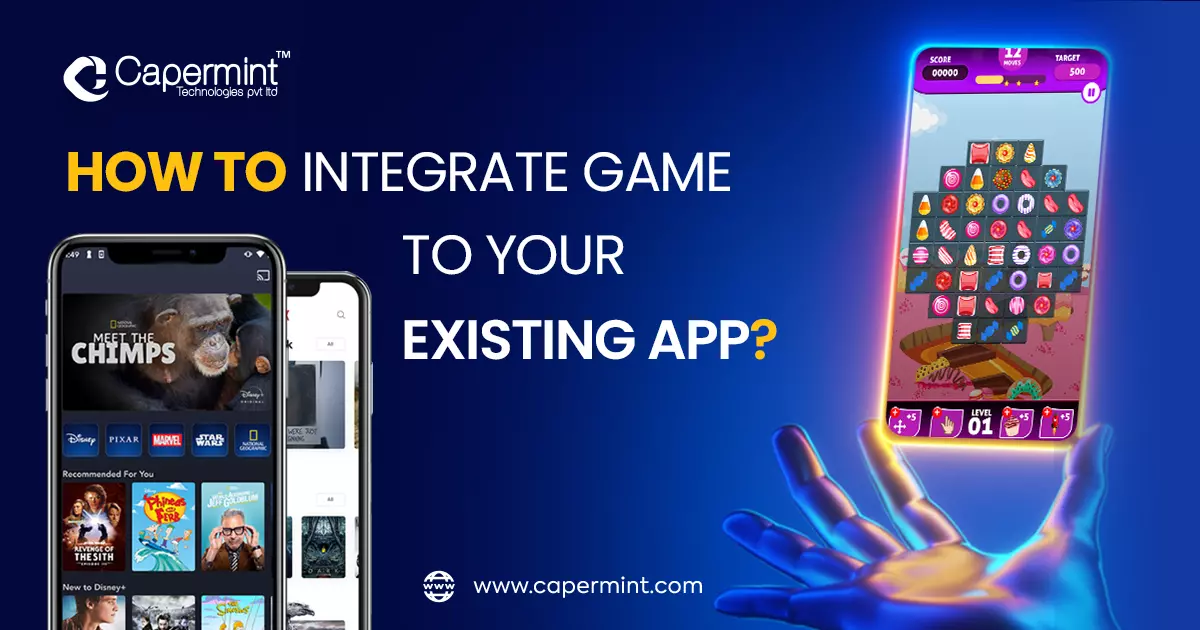
The answer is – Add Games To Your Existing Mobile App.
This article will look at how to add games to your existing mobile app. Let’s get started.
Add games to your existing app
There are two ways of adding games to your existing app. One is to add a separate game section in your app, in which there will be various games that the users can enjoy, or you can just add the feeling and accomplishment of gaming in your app by adopting various gamification methods.
Let’s explore both options thoroughly.
1. Add new games to the existing mobile app
Launching your brand/app’s game is a new and uprising marketing strategy that many big brands are using nowadays.
With games, you can showcase your products/services to the users in a fun way or advertise them. Giants like Red Bull, WWE, etc., have used this strategy, and it was not only successful as an advertisement strategy but also became a great source of income.
Apps like Netflix and Flipkart have added a separate game section in their respective ways. Netflix has added games of their exclusive series and movies that the users can enjoy with their Netflix subscription. Flipkart has daily games that users can play to win discount coupons and offers.
2. Use Gamification
Mobile app gamification refers to adding game components and contexts in the mobile app to make the app’s user experience a fun-filled one. The app’s fun features help increase the app’s traffic. Moreover, this experience encourages the users to use the app again.
With points and level upgrades, the users will get rewarded for using the app or purchasing from the app, and the app will be able to get loyal customers.
Here are Gamification methods that can be integrated with your mobile app to gamify it:
Levels
When the users start using your app, they will start with level one. After that, their in-app purchases, browning, experience, etc., will help them level up.
After completing a certain task, the level of the users will increase. The better their level is, the more rewards they will get. This way, you can motivate the users to use your app more to upgrade their level and get more benefits.
Badges
The badges will be a trophy or a symbol of completing a milestone in the app. When the users complete the milestone, they will get the badge that they can flaunt in their profile and showcase to their friends and family.
Along with the badge, you can also give the users certain unique features ro titles that they can use in the app. Or you can add a discount coupon or voucher with the badge to make it more appealing.
Performance Charts
The performance chart will showcase the daily progress of the users and how far they are from their goals or the rewards. The performance chart will showcase the daily progress of the users and will motivate them to do better.
It will be like a leaderboard but very well-detailed. For example, if your app is a fitness app, the performance charts will showcase the users’ daily/weekly/monthly progress and keep a detailed record of their exercises, schedules, and diet.
Points
Points will be the basic reward for all the user’s tasks via your app, whether it is a purchase or a goal met. The users can then use these points to redeem them for gifts, prizes, discount vouchers, or rewards.
The point system will work amazingly with any app, especially a purchased app. You can give points with each purchase, each review of the purchased item, and even for not returning the item. This way, the users will get a reason to shop via your app.
Leaderboard
The best motivation for the users to perform better is by showcasing a leaderboard and letting them know how other users are performing. This will motivate the users to go the extra mile and be featured on the leaderboard.
You can also make this a competition where the top spots on the leaderboard will get a gift or coupon. This will really motivate the users to do their best to be on the top of the leaderboard.
Social Integration
Having social integration in all the apps and games is a trend. With social integrations, the users can add their social media friends as in-app friends, and then they can keep an eye on the progress of other players. They can share their achievements too.
Sharing their progress and everything will help the users connect with their friends or look out for each other. This way, your app will become a special place for them, and they will use your app more and more.
Why should you add games to your existing mobile app?
Adding games to your app will be a great asset and addition to your app. It will not only provide a fun-filled experience to the users but will also upgrade your user experience. The addition of games can increase your app’s ROI by 2x and user engagement by 10x. In addition, it will reduce user churn and make the users revisit your app repeatedly.
There is always an option for you to create a new game and launch it as separate software, but that will not benefit your existing app. So instead, here are some definitive reasons you should add games to your mobile app.
1. To promote your business
Games are and will be a brilliant marketing strategy for businesses and brands. Have you played games of brands like WWE, Redbull, etc.?
The purpose of these games is to promote their product. This is what you can also do. The main component of developing a game is an idea, and your business or brand is nothing less than a great idea.
You can develop a game around your brand or business to popularize it, and if your game is integrated into your app, people will download and use your app to play the game. This will advertise your business and will get new downloads at the same time.
2. To provide a better experience
The key to ensuring that the users download and keep your app is your app’s experience. If your app offers amazing games with its core features, users will get a better in-app experience.
Games will add a fun side to your app, so people will keep your app installed. This way, whenever they need services/products related to your business/brand, they will use your app first.
3. To push beyond your limits
The mobile game industry is thriving and growing at an exponential rate. By adding games to your existing mobile app, you can enter the gaming industry.
You can transform your product or service into a game, and thus you will get the profit of an app and a game in one place. Venture around different genres and develop amazing games to push yourself out of your comfort zone and experiment with games to provide your users with the best app they have ever downloaded.
4. To provide the users with a reason to come back
Once the users have used your app, they will not come back till they need your product or service again. For example, if your app is a mobile ticket booking app, the users will not use it regularly. They will use it only when they want to watch a movie.
However, if you add games to your app, the users will have more reasons to come back to your app to use it again and again. This will also make sure that the users do not uninstall your app.
Gamification’s Obsession by the World Leading Apps
Doubtlessly, the gaming industry has spiked due to the pandemic. As a result, most people are engrossed with mobile games. Certainly, this has contributed to the growth of the gaming industry by 50%. Games have the potential to cover more markets and draw a larger audience, and this certainly catches the attention of app owners. That’s why gamification came into the market and exalted overnight due to solid hikes in the app engagement.
Here are some ingenious applications that have already started integrating games into their existing app:
1. Netflix Games
Netflix has launched a game section that allows users to enjoy some amazing Netflix games. These games will extend the content life-cycle by supplementing it with gaming.
With this move, Netflix will be able to acquire new users who want to play the Netflix games, and Netflix will also be able to entertain its existing users and provide them with more content.
The games will be related to Netflix series and movies and thus will allow the users to enjoy the shows and movies more. Netflix has acquired Next Games and Boss Fight Games and has started developing various games.
As a point to be noted, Disney has tried launching content-derived games and was not successful, however, it was a long time ago, and if Netflix plays the moves right, this could become a very big step forward for Netflix.
2. Flipkart/Amazon Games
Flipkart and Amazon have used the game section extremely well, and it helps the platforms to increase their sales.
The platform provides various games. The users can play these games to win exciting prizes and vouchers. These vouchers can be used to get special discounts.
If a person wins a game, they will get a 5-20% discount on their next purchase. This way, if a person wins, they get a special discount that will be useless after a certain period of time.
To make sure that the user utilizes the amazing gift that they have won, they will shop using the voucher, and thus this will increase the sales on the platform.
3. Clubhouse Games
Clubhouse has confirmed testing a new in-room gaming feature on both iOS and Android platforms.
As part of the initial launch, Clubhouse will launch a “wild cards” game designed into a series of questions that will spur conversation and help people know each other.
Users can create a separate room for the game, and once all the players have joined, the users can start playing the game. This will provide a unique and fun-filled experience to the users.
Benefits of Adding Games to your Mobile App
In 2023, users are looking for apps that can provide a unique and captivating experience that leaves them craving more. By adding games to your app, you can deliver that unique experience. This unique approach will be the selling point of your app and will help you get more users and turn them into faithful customers.
Increased User Engagement
If the users are rewarded or will get points for using your app, they will avoid using the competition apps and use your app more, increasing your app’s user engagement.
Better User Experience
By using your mobile app, the users can avail of all your services from anywhere and at any time, but they will also be rewarded for the same. All their progress and history will be stored in the app, improving the user experience.
Constant Social Media Presence
Users are into sharing their experiences on social media. With the progress chart feature and the rewards that the users will get for using your app, the users will be very happy and are likely to post or write about the same on social media.
More positive reviews
The gamification of your app makes it more interesting and more profitable for the users to use. The in-app experience and the users’ overall experience with your brand will improve, and you will get many positive reviews on the internet.
It’s the right time to transform your game
The ultimate goal of adding games to your existing mobile app is to transform it into an app that sticks with the people, and they keep coming back to it to feel more engaged.
Adding games to your existing app works best when the users have the social sharing feature, as they can share everything with their friends, family, and followers. When people share their experiences online, it will not only be good for your app, but it will also be good for your brand and business.
If you are looking for an App and Game Development company to add games to your existing app or a Gamification company, you can contact Capermint Technology. Our team can transform your app into a new and fresh app with games ready to take over the competition and provide the best in-app experience to the users.
Quick answer
To add games to an existing app, load an HTML5 game in a WebView, build a native module, or embed Unity content through Unity as a Library, then link it to your logins, rewards and analytics. Capermint builds these for app owners in the US, Canada and worldwide: one mini game typically takes 6–12 weeks, in a typical $10K–$40K range.
4 ways to add games to an existing app
| Method | Good fit for | App size and memory | How it updates | Limits |
|---|---|---|---|---|
| HTML5 game in a WebView | Light 2D casual, puzzle, quiz and branded games; the same game on your website | Little or nothing added to the download when hosted remotely; loads when opened | From your server, without an app release | Lower graphics performance than native or Unity; plan for slow networks; on iOS, Apple Guideline 4.7 rules apply |
| Native module (Swift or Kotlin) | Simple games that must feel fully native, work offline or sit inside existing screens | Small; compiled into the app binary | Ships with app releases through App Store and Google Play review | Two codebases (iOS and Android); slower to iterate |
| Unity as a Library | Richer 2D or 3D games, physics, or Unity content you already own | Adds the Unity runtime; Unity documents 80–180 MB retained in memory after unloading | Game code ships with app releases; art and level data can be downloaded as assets | Full-screen only on iOS and Android; one Unity runtime per app; on iOS it cannot reload after Application.Quit in the same session |
| Licensed third-party HTML5 catalog | A fast test of demand with many ready-made games | Small; games stream from the provider | Provider-managed | Generic content, provider revenue-share terms, less control over player data; you remain responsible for the content under Apple Guideline 4.7 |
Sources: Apple App Store Review Guideline 4.7 and Unity's Unity as a Library documentation. Public examples of games inside non-game apps include LinkedIn's daily puzzle games (2024) and Flipkart's in-app coupon games. We build the HTML5 route through HTML5 game development and the Unity route through Unity game development; teams that want to keep the build in-house can hire Unity developers for co-development. Retail apps often start with coupon games; see ecommerce gamification.
What adding a game costs and how long it takes
| Scope | What is included | Typical range (USD) | Typical timeline |
|---|---|---|---|
| Single mini game | One casual, puzzle, quiz or branded game added to your app; login and rewards linked to existing accounts; leaderboard; analytics events | $10K–$40K | Typically 6–12 weeks |
| Game section or multiplayer game | Several games, or one real-time or turn-based multiplayer game; rewards wallet or coupon logic; admin panel; iOS and Android | $40K–$120K | Typically 12–20 weeks |
| In-app game hub | Many titles, virtual economy, live events, anti-fraud controls, analytics dashboards and a staged rollout | $120K+ | Phased; typically 4–6 months or more |
| Dedicated team and live ops | Monthly team for new levels, events, A/B tests and performance work after launch | Monthly, quoted by team shape | Ongoing |
Typical ranges, not quotes; multiplayer, real-time leaderboards and reward redemption move the price most, and final quotes follow a scoping call. Need only points, badges and leaderboards rather than a playable game? See our mobile app gamification services and broader gamification solutions.
Adding a game to your app at a glance
| Delivery models | Fixed-scope project, dedicated team billed monthly, or co-development and staff augmentation alongside your app team |
|---|---|
| Integration methods | HTML5 game in a WebView, native module (Swift or Kotlin), Unity content through Unity as a Library, or a licensed third-party HTML5 catalog |
| Typical timeline | Typically 6–12 weeks for one mini game; typically 12–20 weeks for a game section or multiplayer game; larger game hubs in phases. Confirmed at scoping |
| Typical price (USD) | $10K–$40K for one mini game; $40K–$120K for a game section or multiplayer game; $120K+ for an in-app game hub. Final quote after a scoping call |
| Tech stack | HTML5 engines such as Phaser, Unity, Swift and Kotlin bridges, react-native-webview and webview_flutter, cloud backend for accounts, scores and rewards, events sent to your analytics tools |
| Platforms | iOS, Android and web apps, including native, React Native and Flutter codebases |
| Testing and store readiness | QA across device tiers and OS versions, app-size and memory checks, server-side score and reward validation, review against App Store Guideline 4.7 and Google Play policies before submission |
| Markets | App owners, brands and startups in the US, Canada and worldwide; calls scheduled in US and Canadian business hours; delivery from our Ahmedabad, India studio |
| Track record | Founded 2014; Capermint-reported 650+ customers worldwide and over 200 specialists; Clutch 4.9/5 from 13 reviews |
Integration checklist: login, rewards, analytics and payments
Single sign-on handoff
The app passes a short-lived signed token through the WebView or Unity message bridge, and the game backend verifies it. Apple Guideline 4.7.3 requires explicit user consent before data is shared with HTML5 mini-game software, and 4.7.2 bars exposing native APIs to it without Apple's permission, so keep the bridge narrow.
Server-side scores and rewards
Validate scores and credit points, coupons or wallet balances on the server once per verified session, with rate limits and replay checks, so a modified client cannot mint rewards.
Events in your existing tools
Send events such as game_open, level_complete and reward_claimed to the analytics stack you already use, so the game is measured against the same retention and conversion dashboards as the rest of the app.
Store payment rules
Digital goods sold inside mini games follow Apple Guideline 3.1 and Google Play's Payments policy. Google Play allows JavaScript loaded into a WebView, but not native executable code downloaded from outside Google Play.
How we add a game to an existing app
Goal and fit check
Agree the metric the game should move (retention, session frequency, redemption or conversion), the audience and whether you need a playable game or only a gamification layer. Part of a 1–2 week scoping phase.
Integration method and architecture
Review your app codebase and pick HTML5 in a WebView, a native module or Unity as a Library; define the app-to-game bridge for login, rewards and analytics, plus app-size and memory budgets. Completes the scoping phase.
Game design and playable prototype
Core loop, reward rules and UI that match your app's design system, with a prototype to test fun and load time on real devices. Typically 1–2 weeks.
Development and app integration
Build the game, backend and admin; connect sign-in through short-lived tokens, server-side score and reward validation, Apple and Google payment rules where digital goods are sold, and analytics events. Typically 3–6 weeks for one mini game.
QA and store review
Test on low- and high-end iOS and Android devices and OS versions, check memory and crash rates, and review against App Store Guideline 4.7 and Google Play policies. Typically 1–2 weeks.
Staged release
Ship behind a feature flag to a share of users and compare them with a holdout group before full rollout.
Live ops
New levels, seasonal events, reward tuning and fixes, optionally through a dedicated monthly team.
Step lengths add up to the typical 6–12 weeks for one mini game; larger scopes follow the ranges in the cost table, confirmed at scoping.
Prizes, payments and privacy. Prize promotions fall under sweepstakes and contest law: in the US a free way to enter is generally needed for chance-based prizes, and Canadian contests usually include a skill-testing question. Games where users pay for a chance to win cash or prizes can become real-money gaming, which is regulated jurisdiction by jurisdiction; India's Promotion and Regulation of Online Gaming Act 2025 prohibits online money games, so for India we build free-to-play and social formats only. Children's data needs consent and data-minimization design (COPPA in the US, PIPEDA and provincial laws in Canada, GDPR in Europe). App owners are responsible for licensing and legal review; we build to the technical requirements of the target jurisdiction. This is general information, not legal advice.
Adding games to an existing app: FAQs
How much does it cost to add a game to an existing app?
Adding one mini game to an existing app typically costs $10K–$40K. A game section with several titles or a multiplayer game typically costs $40K–$120K, and a full in-app game hub with its own economy is typically $120K or more. These are typical ranges; final quotes follow a scoping call.
How long does it take to add a mini game to an app?
Most single mini games take 6–12 weeks from scoping to release: about 1–2 weeks of scoping and architecture, 1–2 weeks of design and a playable prototype, 3–6 weeks of development and integration, and 1–2 weeks of QA and store review. Multiplayer games and multi-game sections typically take 12–20 weeks or ship in phases.
Should the game be built in HTML5 or Unity?
Choose HTML5 for light 2D games that load fast and can update without an app release; it runs in a WebView on iOS and Android and in any web browser. Choose Unity for richer 2D or 3D games, embedded through Unity as a Library, which Unity documents as full-screen only on iOS and Android, with one Unity runtime per app.
Will adding a game make my app bigger or slower?
It can, so set size and memory budgets before development. HTML5 games can be hosted remotely and loaded only when opened, which keeps the app download small. Unity as a Library adds the Unity runtime to the app, and Unity documents that it keeps 80–180 MB of memory after unloading on iOS and Android, so test on lower-end phones.
Does Apple allow HTML5 mini games inside an iOS app?
Yes. App Store Review Guideline 4.7 allows HTML5 and JavaScript mini games that are not embedded in the app binary, and the app owner is responsible for them. They must follow Apple's privacy rules and Guideline 3.1 for digital goods, filter objectionable content, let users report content and block abusive users, be listed in an in-app index with universal links, and use an age restriction mechanism.
Can players use their existing app account, points or wallet in the game?
Yes, and this is usually the main reason to build the game inside the app. The app passes a short-lived signed token that your backend verifies, so players do not log in twice; on iOS, Guideline 4.7.3 requires explicit user consent before account data is shared with an HTML5 game. Scores and rewards should be checked and credited on the server, not in the game client, to block cheating.
Can we license ready-made games instead of building custom ones?
Yes. Third-party HTML5 game catalogs can be embedded quickly, often with ads already built in, which suits a fast test of demand. The trade-offs are generic content other apps also use, less control over player data and provider-set revenue-share terms, and on iOS you remain responsible for that content under Guideline 4.7. Custom games fit your brand, reward rules and data model.
Can in-app games award coupons, cash or prizes?
Free-to-play games that award coupons or loyalty points are usually run as marketing promotions, but rules differ by country, US state and Canadian province. US prize promotions based on chance generally need a free way to enter, and Canadian contests usually include a skill-testing question. If players pay to play for cash or prizes, the game can become real-money gaming, which is regulated jurisdiction by jurisdiction; India's Promotion and Regulation of Online Gaming Act 2025 prohibits online money games. App owners are responsible for licensing and legal review; we build to the technical requirements of the target jurisdiction.
Can you add a game to a React Native or Flutter app?
Yes. HTML5 games run inside a WebView in both frameworks, using packages such as react-native-webview and webview_flutter, with a small message bridge for login, rewards and analytics. Unity games can also be embedded through community-maintained wrappers built on Unity as a Library, which need retesting after every OS and framework upgrade.
How do we measure whether the game is working?
Agree the target metric before development, such as session frequency, 7-day and 30-day retention, or reward redemption. Release the game behind a feature flag to part of your users and compare them with a holdout group that does not see it. The difference shows whether the game changes behavior.
Plan a game for your existing app
Share your app platforms, audience and target metric. We will return a scope, an integration plan and a typical budget range, and we schedule calls in US and Canadian business hours.
Frequently asked questions
What gamification elements can I use inside a non-game app to boost engagement?
Common elements include levels, badges, points/rewards, progress or performance charts, leaderboards, social/sharing integration and tasks that give incentives — all to encourage users to engage more and return frequently.
Can integrating games help increase an app’s revenue or business value?
Yes — by increasing user engagement and retention, and by giving more reasons for users to interact with your app, integration of games or gamified features can enhance monetization potential and overall business performance.
What types of existing apps benefit most from integrating games?
Almost any app can benefit — e.g. e-commerce, entertainment, lifestyle, social, utility apps — especially those that want to encourage frequent user visits, improve user loyalty, or convert one-time users into regular users. Gamification helps make apps “sticky.
Why should I add games to my existing mobile app?
Integrating games or gamified elements can make your app more engaging, increase user retention, reduce uninstalls, boost time-spent in the app, and give users more reasons to come back — improving overall user retention and app “stickiness.
In what ways can I integrate games into an existing app?
You can either add a separate “games section” inside your app (mini-games, full games), or use gamification techniques (points, levels, badges, leaderboards, rewards) to make existing app activities more game-like.
How do I integrate a mini-game into my existing mobile app?
To integrate a mini-game, developers first choose the game type, design the UI/UX to match the app, build or embed the game module (using Unity or native code), connect it to the existing backend if needed, and ensure it loads smoothly without slowing the app.
How do I decide whether my app needs a game or gamification?
Evaluate your goals: if you want quick engagement boosts, gamification is enough; if you want deeper interaction, user loyalty, and entertainment, adding mini-games or full games is better.